How to Choose an AI Helpdesk With Routing and Escalation Built In: A 2026 Buyer's Guide
Intelligent Ticket Routing and Escalation Architecture
Introduction
Imagine a customer asks a simple billing question, but the AI helpdesk sends it to the wrong team. This causes delays and frustration. Your team has to spend more time fixing these misrouted tickets instead of helping customers. This problem is common but often ignored when picking AI helpdesk software.
Choosing the right AI helpdesk isn’t just about giving good answers. Success depends on if the system understands what the customer wants, sends requests to the right teams across all channels, and passes tough cases to humans when needed.
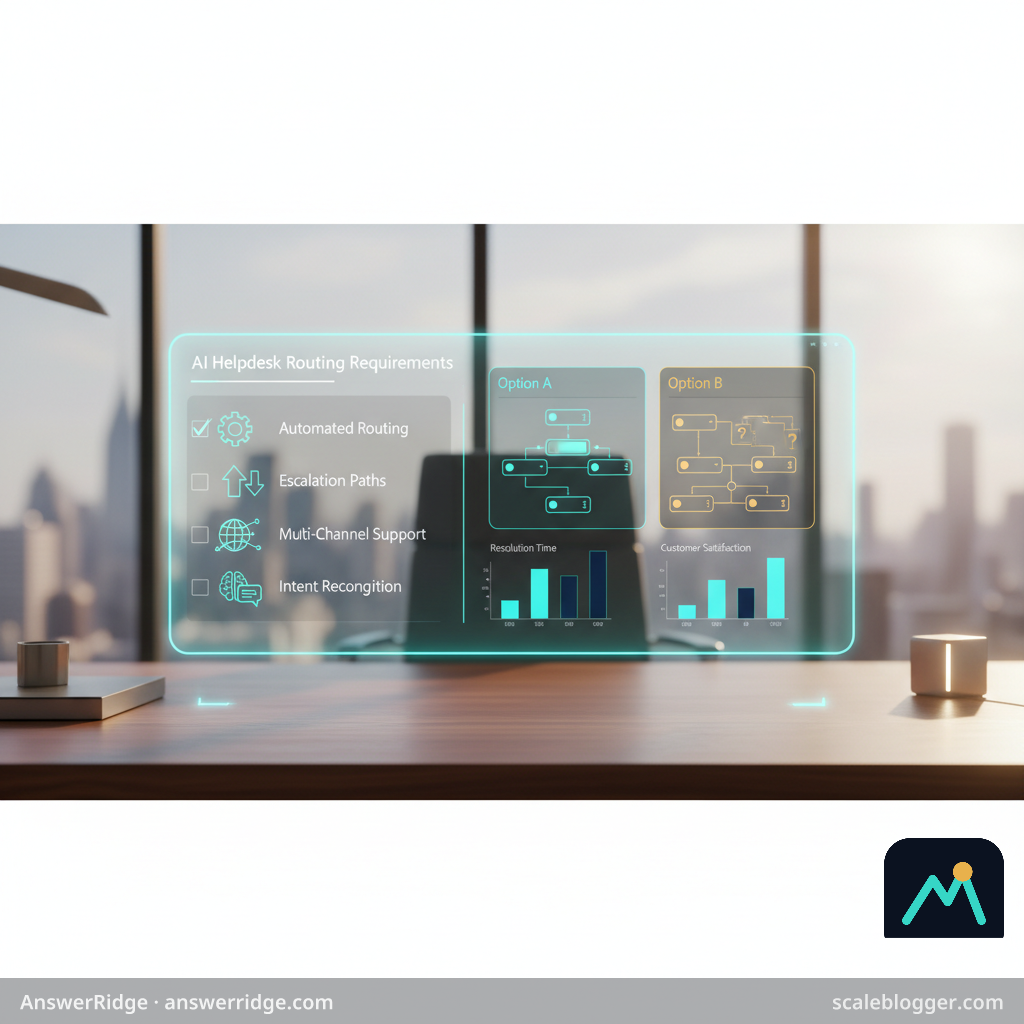
This guide helps you check these important actions. It looks past just features and focuses on routing, escalation, and handoffs. These parts decide if the system solves problems well while cutting work and cost.
Use this buyer’s guide to test vendors the same way. Compare their results fairly. Build your case based on how well issues get solved—not only on ticket counts or license cost.
Quick Answer: An AI helpdesk that really works understands what your customers want and sends their questions to the right team—whether they're reaching out by chat, email, or searching your knowledge base. It should only escalate cases when confidence is low or urgency is high, keeping your workload steady and resolutions reliable. Be sure to test vendors’ demos for consistent routing and escalation—this helps you avoid costly mistakes and keeps customers happy.
What an AI Helpdesk With Routing and Escalation Built In Actually Is
Support managers see chat and email requests rising. Agents sort these requests by hand into different queues. These queues often do not line up.
Start your AI helpdesk search by tackling the real problem: making sure requests end up in the right place. It’s not just about cool answer features. The system should first understand what the customer’s asking. It should answer quickly when it’s sure, send the request to the right team when it’s not, and escalate cases if there’s risk, urgency, or uncertainty.
Here’s the key: AI answers give a reply. Automated routing sends work to the right queue. Escalation control knows when to pause automation, assign ownership, and pass on the right information to a person.
And don’t settle for platforms that only offer this for chat—your helpdesk should handle email, live chat, and your knowledge base seamlessly.
This approach should also work for email, live chat, and the knowledge base.
Current advice says to pick software that fits your real ticket types. Don’t just assume all AI features help. See this 2026 guide to choosing AI customer service software.
What “built in” should mean across chat, email, and your knowledge base
| Capability | What it does | Minimum buying requirement | Evidence to request in a demo |
|---|---|---|---|
| AI resolution | Answers routine questions using approved content | Confidence threshold and source controls | Test five real customer questions |
| Intent and language detection | Identifies topic, sentiment, language, and urgency | Supports your major languages and intents | Submit mixed-language and unclear requests |
| Channel-aware routing | Sends chat and email work to suitable queues | Rules remain consistent across channels | Show identical intent across chat and email |
| Escalation rules | Transfers risky or stalled cases | Editable triggers, owners, and time limits | Configure an SLA breach and low-confidence event |
| Human handoff | Gives agents conversation history and reasoning | No repeated customer explanation | Demonstrate a live transfer with full context |
| Knowledge base learning loop | Captures gaps and improves approved content | Feedback, review, and publishing controls | Show how failed answers create content tasks |
| Reporting and cost tracking | Measures outcomes and operating cost | Resolved-ticket, transfer, and channel reporting | Export data for finance and operations review |
Ask vendors to show how one case moves from the customer question to resolution, routing, escalation, human work, and knowledge updates.
This workflow shows the difference between a good demo and a real working system.
It also gives you a strong base for choosing support software and figuring out the cost per resolved ticket.
Why Routing and Escalation Should Drive the Buying Decision
Even a good AI answer can leave customers frustrated.
Sometimes a reply looks fine but misses key account details, lacks permission, or needs another team’s okay.
Routing is what decides what happens next.
Your helpdesk must understand each question, answer when it’s safe, send it to the right team when it’s not, and keep the full context for whoever takes over.
This chain shapes how fast issues get fixed, how accurate answers are, how hard your agents must work, and how much effort customers have to put in.
That is why an AI helpdesk buyer’s guide should check how the system works, not just how well it answers.
Current advice also says to match automation to the tickets your team really gets. Don’t just trust generic AI demos.
See this 2026 guide to choosing AI customer service software for a ticket-driven approach.
Five routing criteria for your RFP
Score each area from 0 to 2: 0 means absent, 1 means limited or unproven, and 2 means demonstrated with your data.
- Channel coverage parity: Ask, “Can the same intent, customer history, and routing rules work across chat and email?” A strong score requires consistent handling rather than separate channel silos.
- Escalation control: Ask, “Can we route by risk, language, account value, product, sentiment, or operating hours?” Require clear ownership, fallback queues, and human approval for sensitive actions.
- Knowledge feedback loop: Ask, “When agents correct an answer, how does that correction improve future resolutions?” Vendor claims should be tested through a proof of value, not accepted as automatic learning.
- Legacy data migration: Ask, “Can historical tickets, tags, macros, and resolution outcomes be imported and mapped?” Migration affects launch speed and gives the system useful context from day one.
- Resolved-ticket economics: Ask, “Which cases count as resolved, and can we report that by channel and intent?” Calculate
cost per resolved ticket = total support cost ÷ verified resolved tickets, not deflected contacts alone.
A vendor who scores 2 points in every area makes a stronger case than one who just gives polished answers.
For a wider comparison of setup, pricing, and AI limits, see this 2026 customer service software buyer's guide.
Finance can link the model to labor hours, fewer backlogs, repeat contacts, and hiring needs.
IT can check permissions, audit logs, integrations, data storage, and rules.
Customer experience leaders can confirm if customers get faster correct answers and if escalated cases come with useful info.
The best buying choice follows the full path: question, understanding, resolution or routing, escalation, human work, and knowledge updates.
That is how you pick support software for real results, not just good demos.
The Five Routing-Specific Criteria Most Buying Guides Miss
A polished demo can hide weak rules in how work flows.
Your AI helpdesk guide should check how work moves across channels, teams, systems, and finance—not just how well the system answers.
These five points matter when choosing support software.
Channel coverage parity: Make sure chat and email use the same signals like intent, customer info, priority, and owner.
Try the same issue in both channels. Then compare which queue it goes to, its escalation path, and the audit trail.
Escalation policy configurability: Rules should match business risks.
Billing disagreements, safety issues, VIP requests, and missing permissions may need different owners and response times.
Test the rules for conditions, approvals, reassignments, and regional ownership without help from the vendor.
Knowledge base feedback loop: An unanswered question should turn into useful work. It should not just disappear when a ticket closes.
Check if agents can mark wrong answers, find missing info, and send approved fixes into the knowledge process.
Current advice also says to focus on the ticket types your team really handles, not just general AI features. See this 2026 guide to AI customer service software.
Legacy ticket migration: Historical data supports safer routing only when fields, tags, attachments, and resolution history remain usable.
Ask which records migrate, how sensitive data is handled, and whether old tickets can test new intent and escalation rules before launch.
Cost per resolved ticket: Measure success, not just automation.
Use total platform cost plus human work and setup costs divided by resolved tickets. Compare this to your current baseline and have finance check the numbers.
Operations should confirm that “resolved” means the customer needed no more help.
Questions to ask during the live demo
| Evaluation criterion | Questions to ask | Evidence to request | Warning signs |
|---|---|---|---|
| Channel coverage parity | Can the same issue route identically through chat and email? | Live test, routing logs, channel-specific performance data | Different rules or manual reclassification |
| Escalation policy configurability | Can we route by risk, language, region, tier, approval, and ownership? | Policy builder, audit trail, reassignment test | Custom development required for basic rules |
| Knowledge base feedback loop | How do unresolved questions become reviewed knowledge updates? | Failed-answer queue, approval workflow, version history | Answers improve only through manual exports |
| Legacy ticket migration | Which fields, attachments, tags, and outcomes migrate? | Migration map, sample import, data-retention policy | Historic data becomes read-only or loses context |
| Cost per resolved ticket | Which usage and labor costs belong in the resolution model? | Exportable usage data, resolution definition, pilot report | Pricing centers on deflection or message volume alone |
Use the same test cases for all vendors. Record each result in an AI helpdesk routing requirements checklist. Keep vendor claims separate from proof-of-value results.
This makes overlooked criteria into a useful RFP and a business case finance and IT can trust.
How to Compare AI Helpdesk Vendors in an RFP
Finance teams often want to know: “Which platform will really bring down the cost per resolved ticket?” A good AI helpdesk guide answers that with proof in the workflow, not just feature lists.
Turn each business need into a test. For example, if you want to improve global support, ask: Can the platform apply the same rules to chat and email? Does it keep language context? Does it send exceptions to the right regional teams?
Set these real-world tests ahead of vendor meetings.
Use actual cases that cover every step: customer question, AI understanding, answering or routing, escalation, human involvement, and updating knowledge.
Ask vendors to demonstrate:
- Channel parity: Can one policy route equivalent chat and email requests consistently?
- Escalation control: Can rules consider customer tier, sentiment, language, risk, and elapsed time?
- Knowledge learning: Does unresolved feedback identify outdated content and create an approval workflow?
- Migration handling: Can historical tickets be imported, mapped, searched, and retained without corrupting reporting?
- Financial reporting: Can the platform separate automated resolutions, assisted resolutions, and human-only cases?
Score what you see, not what the vendor promises.
Mark evidence as live demo, documented feature, sandbox test, or roadmap plan.
Roadmap plans should not get the same trust as features that already work.
A practical routing scorecard
Use weights that reflect your ticket mix and risk tolerance.
The example below gives routing and escalation the greatest influence, while still reserving points for finance and IT governance.
| Criterion | Weight | Vendor score from 1–5 | Evidence quality | Weighted score | Notes or risks |
|---|---|---|---|---|---|
| Channel coverage parity | 20% | 4 | Live demonstration | 16 | Email rules differ from chat rules |
| Escalation configurability | 20% | 3 | Sandbox result | 12 | Complex approval paths need testing |
| Knowledge base feedback loop | 15% | 4 | Documented capability | 12 | Human approval required for publishing |
| Legacy ticket migration | 10% | 2 | Vendor statement | 4 | Field mapping remains unverified |
| Cost per resolved ticket | 15% | 3 | Business-case model | 9 | Usage-based fees need volume limits |
| Security and IT fit | 10% | 5 | Security documentation | 10 | Confirm regional data controls |
| Reporting and administration | 10% | 4 | Live demonstration | 8 | Custom reports require admin effort |
weight × score; these illustrative results produce 71 points out of 100.
Do not treat that number as a verdict.
A low score in escalation control can be worse than strong scores elsewhere if bad routing causes real customer or compliance risk.
Your AI helpdesk routing requirements checklist should record the test case, expected behavior, observed outcome, evidence type, owner, and follow-up date.
This gives finance a clear model and IT clear questions for implementation.
The best RFP compares operational results: steady routing, controlled escalation, helpful learning, safe migration, and believable cost per resolution.
That is how to pick support software with confidence, not just by the longest feature list.
What to Validate Before You Sign
A polished RFP reply does not show the AI helpdesk will work well under pressure.
Before signing, test it with real customer requests, incomplete info, ownership conflicts, and cases that should never be automated.
Test behavior, not promises
Use a sample of anonymized chat and email requests from the past 60–90 days.
Include billing questions, product problems, account changes, urgent or unclear requests, and messages crossing teams.
Ask each vendor to show:
- Intent recognition: Can the system understand requests in casual or incomplete language?
- Channel parity: Does the same intent get routed the same way in chat, email, and knowledge-base search?
- Ownership changes: What happens when a case moves from sales to support or needs a specialist?
- Escalation control: Can you set limits for risk, sentiment, missing info, approval needs, and service deadlines?
- Human visibility: Can an agent see the customer’s question, AI reasoning, actions taken, and why it was escalated?
Record results in an AI helpdesk routing requirements checklist.
Keep vendor-stated features separate from proof-of-value results, as setup quality often affects performance.
Test the system’s inner workings, too.
Ask how permissions work, which actions need approval, how admins change routing rules, and if every handoff is in an audit log.
Check integration needs for your CRM, identity provider, billing system, analytics tool, and data warehouse.
Ask clear vendor questions like:
- “Show a case where the customer’s intent changes during the conversation.”
- “Who owns the ticket if two rules apply?”
- “Can an admin change this policy without engineering help?”
- “What reports show resolution, escalation, reopen rate, and manual overrides?”
- “Which old ticket fields migrate and which do not?”
Turn evidence into a business case
Look at more than just the license price.
Use cost per resolved ticket = total monthly support cost ÷ resolved tickets. Include setup, integration, admin, training, maintenance, and human review.
Run three cases: current work, expected use, and cautious use with more escalation.
A platform that automates 40% but causes costly rework can do worse than one that cleanly resolves fewer requests.
Write down limits: intents needing human help, data not accessible, languages or channels needing extra checks, and failures causing immediate handoff.
The best choice is based on seen routing, clear ownership, controlled escalation, and clear cost math—not just a good demo.
Common Buying Mistakes and Misconceptions
A good demo can still lead to a wrong buy.
Teams might think visible automation means better operations. But unresolved tasks, bad handoffs, and poor data often just move to hidden places.
A good AI helpdesk test should check the full path from question to final result.
Include these five common mistakes in your RFP and test plan.
Treating every automated reply as a resolved ticket
A generated reply does not always mean the request is done.
The customer may still need an account change, refund approval, or an answer using private data.
Ask vendors to clearly define resolved.
Can the platform confirm customer acceptance, finish the required task, or reopen the case if the reply fails? Track resolution rate, reopen rate, and human follow-up separately.
A correct policy link that still needs an agent to fix an invoice is only assisted handling, not full resolution.
Assuming routing works the same across channels
Routing that works well in chat might act differently in email, where forwarded threads, multiple requests, attachments, and less context are common.
Test the same intents in every channel.
Ask what info routing uses in chat, email, and knowledge search, and which rules change.
Accepting fixed escalation rules
A basic “transfer to agent” rule rarely fits real support needs.
Priority, customer level, region, product risk, approval needs, and hours can change the next step.
Ask vendors to create conditional escalation without custom coding.
Test an urgent security request and a normal password question.
Record the trigger, owner, deadline, backup queue, and audit log for each path in your AI helpdesk checklist.
Migrating records without keeping context
A ticket archive is not always useful knowledge.
Lost tags, linked chats, resolution notes, or customer history can make the new system repeat old mistakes.
Ask for a sample migration using anonymous records.
Check search quality, customer matching, past ownership, attachments, and links between related cases.
Decide which fields should be searchable and which remain as archive data.
Choosing subscription price over resolution cost
The cheapest plan can cost more if agents rework misrouted tickets or handle separate channel workflows.
Compare total support cost ÷ resolved tickets, including setup, integration, migration, human review, escalation handling, and reopened cases—not just license price.
A smart choice separates automated replies from real resolutions. It gives finance and IT a common way to judge routing quality, risk, and cost.
What is the best AI helpdesk software?
The best AI helpdesk software should aim to accurately interpret customer intent, route requests seamlessly across channels like chat and email, and escalate issues only when necessary. Choosing one typically requires testing demos for consistent routing accuracy, escalation policy configurability, and the ability to preserve context, which can help reduce misroutes and improve resolution speed.
What are the key trends in customer experience for 2026?
Key trends in customer experience for 2026 emphasize AI helpdesks that go beyond answer quality to excel in routing and escalation. This includes channel coverage parity, configurable escalation policies tailored to business risk, and automation that triggers escalation based on urgency or low confidence, all aimed at reducing customer effort and improving resolution efficiency.
What are the top 10 helpdesk software?
The article does not list the top 10 helpdesk software specifically. Instead, it focuses on selecting AI helpdesk solutions based on operational effectiveness in routing, escalation, and context preservation rather than feature counts or rankings.
Which AI is best for customer service?
The best AI for customer service is one that understands informal or incomplete customer intents, maintains consistent routing across multiple channels, and escalates appropriately based on urgency or risk. Success depends on workflow behavior such as intent recognition, channel parity, and configurable escalation policies rather than just language generation capabilities.
What are the most common challenges in customer service?
Common challenges in customer service include misrouted tickets causing delays, inconsistent queues, lack of context preservation during handoffs, insufficient escalation controls, and automation errors where AI either prematurely escalates or fails to escalate urgent issues. These lead to increased agent workload and decreased customer satisfaction.
Buy for Reliable Resolution, Not Just Fast Answers
The key question when buying an AI helpdesk isn’t just whether it can give good answers.
It’s whether it really understands intent, follows the right rules, sends issues to the right teams, and escalates when human judgment is needed because of risk or urgency.
Automation helps only when it speeds up resolutions without adding extra work for your agents.
Think back to the billing example: sending a simple question to the wrong queue might look minor, but repeated mistakes cause delays, extra work, and frustrated customers.
When choosing support software, test these behaviors with real cases. Include unclear requests, urgent account issues, missing data, and questions crossing team boundaries.
Make an AI helpdesk routing requirements checklist now and use it to score each vendor against the same tests.
Include routing accuracy, escalation triggers, queue ownership, agent override controls, audit logs, knowledge base use, and performance reports.
Then ask each provider to show what happens when automation is unsure—not just when the answer is simple.
The best platform won’t just answer more tickets; it will help your team solve the right issues the right way. It will also make exceptions clear before they become customer problems.
Sources
- Top 10 AI Helpdesk and Customer Support Tools in 2026 1. Zendesk Best for: Omnichannel customer support Zendesk offers ticket management, customer communication (Accessed: October 20, 2026)
- What AI tools are you using with your helpdesk? We’re thinking about adding AI to our existing helpdesk, mainly to cut down on repetitive tickets and reduce som (Accessed: October 20, 2026)
- Ask Me Anything. I've 6 years of experience building AI for startups. Currently building for health tech and teach AI (Accessed: October 20, 2026)
- The anti vibe-coding cult is going to be on wrong side of history Some facts (not an opinion): - At its best Claude is faster at coding than any human. - Opus 5 (Accessed: October 20, 2026)
- Succesfull agent setup I use I am seeing a lot of questions on how to set up agents to get the best bang for your buck, I've got nearly 20 years experience from (Accessed: October 20, 2026)
- Best Help Desk AI Software: A 2026 Buyer's Guide for ... (Accessed: October 20, 2026)
- AI Customer Service Software: A 2026 Buyer's Guide (Accessed: October 20, 2026)
- Customer Service Software in 2026: A Complete Buyer's Guide (Accessed: October 20, 2026)
- AI Customer Support Software: The Complete 2026 Buyer's ... (Accessed: October 20, 2026)
- Top 7 AI Customer Service Platforms in 2026 ... (Accessed: October 20, 2026)
- The Ultimate Guide to Choosing AI Customer Service ... (Accessed: October 20, 2026)
- Best AI Help Desk Software (2026): Verified & Compared (Accessed: October 20, 2026)
- 9 Leading AI Platforms for Automating Help Desks in 2026 (Accessed: October 20, 2026)